
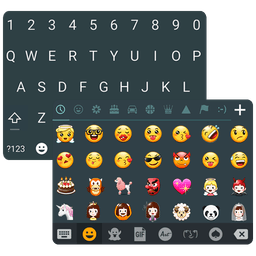
About Emoji Keyboard Lite
Emoji keyboard apps let you express yourself faster — and Emoji Keyboard Lite delivers lightweight, customizable emoji input with support for 50+ languages and animated content.
Quickly type cute emoji, emoticons, smileys, symbols, kaomoji, and text faces from anywhere — email, text messages, notes, social apps, and contact fields. Whether you're sending a casual message or looking for the perfect way to express your true feelings, you'll find thousands of options at your fingertips. Send animated GIFs and stickers directly from the keyboard to any app, turning your conversations into something more engaging and fun.
Customization is at the heart of this keyboard experience. Set your own photo as the keyboard wallpaper, adjust keyboard colors and fonts to match your style, and tweak key press sounds to your preference. Resize and split the layout however you like, or keep it compact — the choice is yours. A dedicated top row displays your most-used emoji for lightning-fast access, plus number keys and arrow controls for seamless navigation.
Typing speed matters, which is why Emoji Keyboard Lite includes smart productivity features. Swype typing with dynamic floating preview lets you glide across keys for faster input. Auto-correction and smart word prediction work together to catch mistakes and suggest what you're about to type. Voice input handles hands-free entry when you need it. These features are available across 50+ languages — including English, Spanish, French, German, Russian, Arabic, Hindi, Chinese, Japanese, Korean, and many more — making this a truly global keyboard solution.
Advanced features include copy, cut, and paste functions powered by clipboard access, an always-visible capital letter toggle for quick reference, and text faces including popular kaomoji like ( ͡° ͜ʖ ͡°) and (ʘ‿ʘ). Every design choice prioritizes speed and ease of use.
Being lightweight and free means you get all these features without bloat, storage drain, or hidden costs. Whether you're a casual texter who loves emoji or someone who messages in multiple languages daily, Emoji Keyboard Lite adapts to your needs. Download Emoji Keyboard Lite today and transform how you type.
Pros & Cons
Pros
- Lightweight app with no storage bloat or unnecessary clutter
- Customizable keyboard layout, colors, fonts, and wallpaper options
- Supports 50+ languages including emoji, kaomoji, and text faces
- Swype typing and voice input enable faster hands-free entry
Cons
- Requires clipboard access to enable copy, cut, and paste functions
- Free model may include ads or upsells not fully disclosed upfront
- Keyboard replacement requires system-level permissions and trust
- Voice input and language prediction require active internet connection
Related Apps

Codex
AI code agent that writes, tests, and refactors code from natural language—integrate with GitHub and VS Code.

Sibelius
Music notation software for composing orchestral, jazz, and vocal scores professionally.

Scribus
Desktop publishing and page layout design with professional typography, PDF export, and free open-source tools.

CmapTools
Concept mapping software to visualize ideas, connect concepts, and collaborate in real time with multimedia support.

Get Coins for TIK Live Video
Mary Studio
Earn real coins for TikTok live videos by completing daily tasks. Boost engagement instantly.

GOSI
GOSI
Social Insurance services in Saudi Arabia—secure access to benefits, documents, and wellness tracking with GOSI.
Latest Articles

Best Booking.com alternatives for PC in 2026 (we tested 7)
Jul 11, 2026

Best d Point Club alternatives in 2026 (we compared 7)
Jul 11, 2026

Best DCM App alternatives in 2026 (we compared 7)
Jul 11, 2026

Best Google Earth VR alternatives for PC in 2026 (we tested 7)
Jul 11, 2026

Best JRE POINT alternatives in 2026 (we compared 7)
Jul 11, 2026